BISE Lahore Matric Result 2026: View Your Marks Online – Full Guide
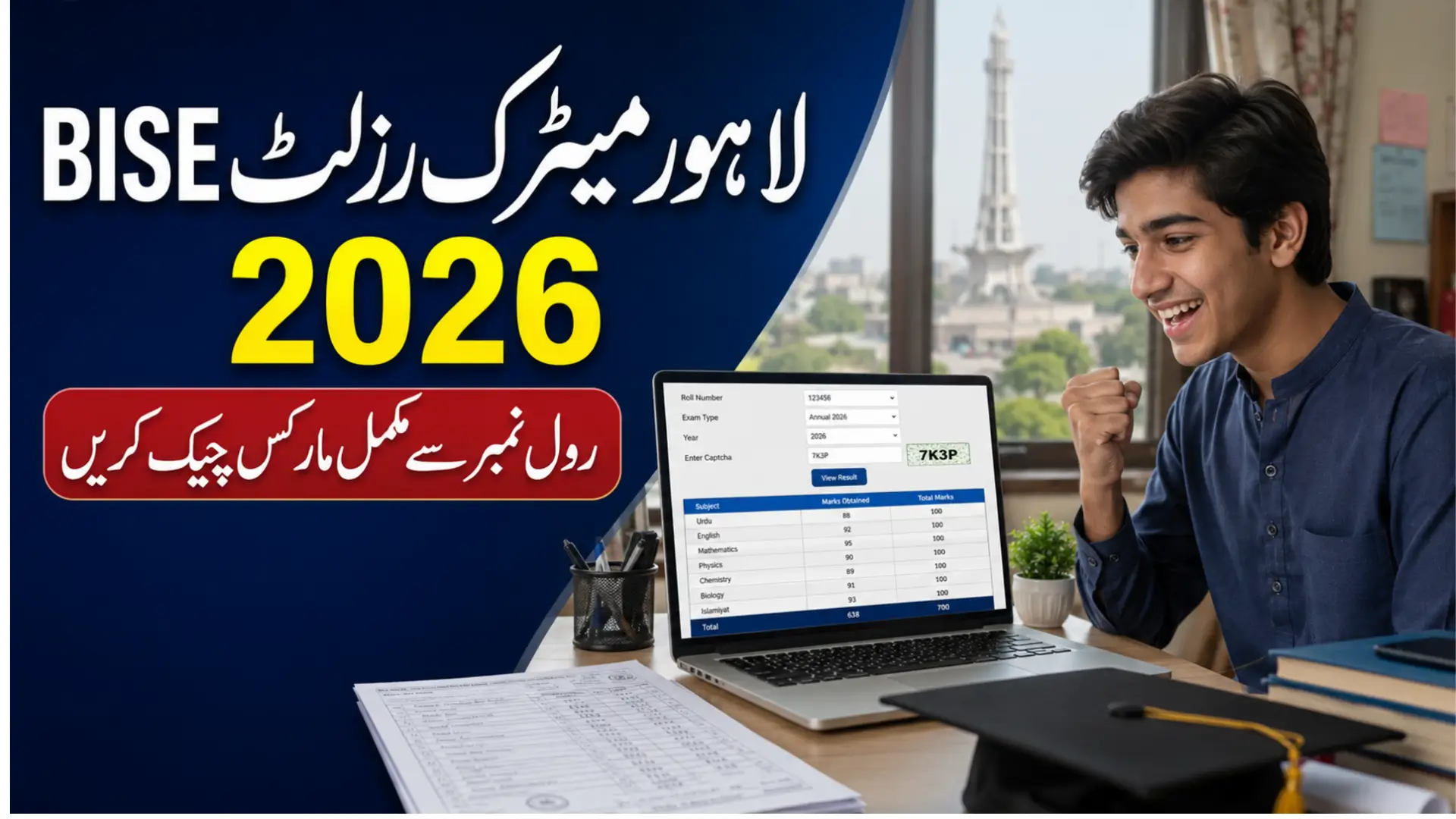
The BISE Lahore Matric Result 2026 can be viewed through the board’s official online result portal. Students need to select Matric, enter their roll number, choose the correct examination type and year, complete the captcha and submit the form. After submitting the result will be shown on the screen.
Checking online is the most useful method for students who want to review their complete marks. take your roll number slip and select the correct examination session before submitting the result form.
If you are interested in his and want to know complete step by step method to check result then you are at right place. Read the complete below information and know full detail to check result online using your roll number.
BISE Lahore Matric Result 2026 Overview
| Detail | Information |
|---|---|
| Board | Board of Intermediate and Secondary Education Lahore |
| Result | Matric/SSC Result 2026 |
| Class | 10th Class/SSC Part II |
| Examination | First Annual Examination 2026 |
| Result Status | Check the latest official announcement |
| Expected Checking Time | Usually available from 10:00 AM on result day |
| Main Method | Online by roll number |
| Required Details | Roll number, exam type, year and captcha |
| Official Result Portal | result.biselahore.com |
| Other Methods | SMS and result gazette |
Students should verify the final announcement date through the BISE Lahore website. The board publishes important examination updates, registration schedules and result-related services on its official portal.
Also Check: BISE Rawalpindi Board 10th Class Result Check 2026
How to Check BISE Lahore Matric Result 2026 Online
The official BISE Lahore result system allows students to search previous and current results. Unlike a simple result form, it may ask you to choose the examination category, type and year before entering the captcha.
Follow each step carefully to avoid opening the wrong result.
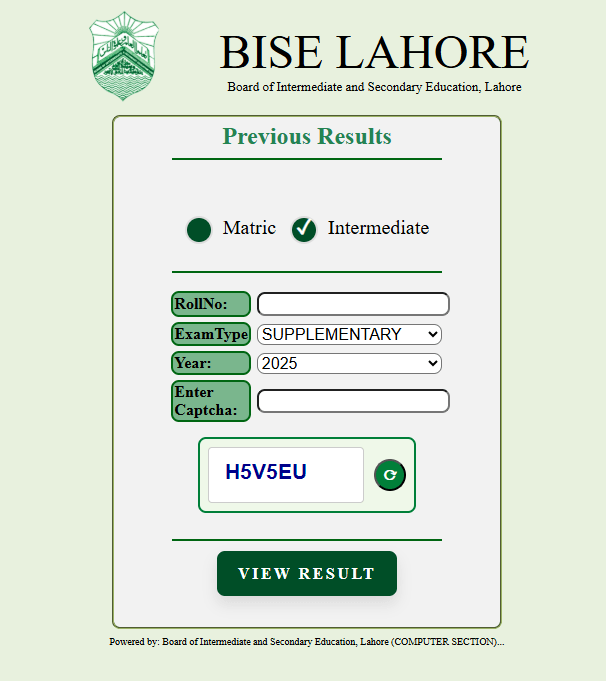
Step 1: Open the Official Lahore Board Result Portal
Visit the official BISE Lahore result portal. Check the website address before entering your information.
The correct result portal uses the biselahore.com domain. A result-checking website should not require your password, bank information, payment details or unnecessary personal documents.
Step 2: Select the Matric Option
The result form provides options for Matric and Intermediate examinations. Select Matric because the 10th class result falls under the Secondary School Certificate examination.
Do not choose Intermediate, as that section is used for 11th and 12th class results.
Step 3: Enter Your Roll Number
Type the roll number printed on your SSC First Annual Examination 2026 roll number slip. Enter every digit in the correct order.
Before moving to the next field, check for:
- Missing digits
- Extra spaces
- Incorrect numbers
- Confusion between the roll number and registration number
- A roll number belonging to an older examination
The online result system identifies your record mainly through the roll number. Even one wrong digit can display an incorrect record or return an error.
Step 4: Choose the Correct Exam Type
Select the examination type that matches the result you want to check. For the regular 2026 matric result, choose the available option for the First Annual, Part II or 10th Class examination, depending on how it appears on the portal.
Do not select:
- Part I if you want the 10th class result
- Second Annual if you appeared in the First Annual examination
- An improvement category unless you applied for marks improvement
- A previous examination session
The exact wording of the option can change when the board updates its result system. Match it with the examination title shown on your roll number slip.
Step 5: Select 2026 as the Result Year
Open the year menu and select 2026. If the year is not available, the result may not have been activated on the portal yet.
Avoid selecting 2025 merely to complete the form. That will search an older result database and will not show your 2026 record.
Step 6: Enter the Captcha Code
The BISE Lahore portal uses a captcha to prevent automated searches. Enter the letters or numbers displayed in the captcha image.
Captcha codes may be case-sensitive. If the image is unclear:
- Refresh the captcha if that option is available.
- Increase the screen brightness.
- Zoom in without reloading the entire page.
- Enter the new code carefully.
A wrong captcha does not mean there is a problem with your result. It only means the security code must be entered again.
Step 7: Submit the Result Form
Review the selected options and press the search or submit button. If the information is correct and the result has been released, your record should appear on the screen.
Avoid pressing the button repeatedly. On result day, the server may need a few seconds to process the request because many students are checking their marks at the same time.
Step 8: Verify Your Personal Details
Do not look only at the total marks. First confirm that the result belongs to you.
Check:
- Student’s name
- Father’s name
- Roll number
- Examination type
- Result year
- Group or category
- Subject-wise marks
- Total marks
- Grade
- Pass, fail or compartment status
If the name, father’s name or roll number does not match, return to the form and repeat the search using the correct information.
Step 9: Save Your Online Result
Take a screenshot of the complete result or use the browser’s print option to save it as a PDF. Make sure all subject marks and personal details are visible.
On a computer:
- Press
Ctrl + P. - Choose Save as PDF.
- Select the correct pages.
- Save the file with your name and roll number.
On a mobile phone, use the screenshot option or open the browser menu and select Print or Save as PDF, if supported.
Check: BISE Sargodha 10th Class Result 2026
What Information Does the Online Result Show?
The BISE Lahore online result is more detailed than the short information generally received through SMS. The exact layout may vary, but the record can include:
- Candidate’s roll number
- Student’s name
- Father’s name
- Examination session
- Subject names
- Theory marks
- Practical marks, where applicable
- Total marks
- Overall grade
- Result status
- Any failed or incomplete subject
Carefully review the marks shown against each subject. The total score alone may not tell you whether a particular paper requires attention.
Why the Online Method Is Better for Checking Marks
The online method is usually the best option because it provides a fuller record. It allows students to confirm personal details, review individual subjects and save a provisional copy.
An SMS response may only contain the total marks and result status. The gazette is useful for bulk searches but may also provide limited details. For that reason, students with internet access should try the official online portal first.
BISE Lahore Result Portal Not Working
Heavy traffic can temporarily slow down the website on result day. A server error or blank screen does not mean that your result has been cancelled or withheld.
Try the following solutions:
- Wait a few minutes before refreshing.
- Switch between mobile data and Wi-Fi.
- Open the portal in another browser.
- Clear the browser cache.
- Disable an unnecessary VPN.
- Check that 2026 is selected.
- Enter the captcha again.
- Try during a less busy period.
- Use the official BISE Lahore homepage to reopen the result link.
Do not continuously refresh the page every second. This can create additional requests without helping the result load faster.
Common Errors While Checking the Lahore Board Result
Incorrect Roll Number
Compare the entered number with your original examination slip. Do not use your registration number or B-Form number.
Wrong Examination Type
Students sometimes select Part I, Second Annual or Intermediate by mistake. For the regular 10th class result, select the relevant Matric First Annual or Part II option.
Wrong Result Year
Make sure the year is set to 2026. An older year will search a different result database.
Invalid Captcha
Enter the code exactly as displayed. Refresh it if the letters or digits are difficult to read.
Result Record Not Found
This message can appear if the result is not active, the entered details are incorrect or the board has withheld the record. Check your information first. If it remains unavailable after the official announcement, contact your school or BISE Lahore.
Is the Online Result Card an Official Certificate?
The result displayed on the website is a provisional online record. It allows students to view their performance and may be useful while beginning the college admission process.
It does not permanently replace the original Detailed Marks Certificate. Regular students normally receive the original result card through their schools, while private candidates should follow the collection or delivery method announced by BISE Lahore.
How to Check the Lahore Board Result Without a Roll Number
The standard online result form requires a roll number. If you have lost your examination slip, contact your school first because the institution normally keeps examination records for its students.
You may also search the result gazette by name after it becomes available. When several students have the same name, compare the father’s name, institution and available record details before treating it as your result.
Brief SMS Method
If the website is temporarily unavailable, students may check the result through the Lahore Board SMS service. Type the roll number in a new message and send it to the SMS code 800291 officially announced for the 2026 result.
Normal network charges may apply. Because SMS codes and service arrangements can change, verify the active code through the final BISE Lahore notification before sending the message.
Check: 10th Class Result Check Online BISE DG Khan
Brief Gazette Method
The result gazette contains the records released for an examination. Download the correct BISE Lahore Matric First Annual 2026 gazette and search it using your roll number.
Use ctrl+F on a computer or the search icon in a mobile PDF reader. The gazette can help when the online form is slow, but it may not display the same detailed subject information as the roll-number result page.
Check: BISE Gujranwala Board 10th Class Result 2026
What to Do After Viewing Your Marks
Save the online result and discuss your next academic step with your parents, teachers or a career adviser. Your subject performance can help you choose between FSc, ICS, ICom, FA, technical education and other available routes.
If the marks appear lower than expected, first compare the online record with the original result card when it is issued. Students who suspect a counting or unchecked-answer issue may apply through the official rechecking process within the deadline set by BISE Lahore.
The BISE Lahore website also provides online systems for result statistics, application tracking and other student services.
BISE Lahore Contact Details
Students who cannot resolve a result issue through their school may contact the board.
| Contact Detail | Information |
|---|---|
| Address | 86 Mozang Road, Lahore |
| Telephone | +92 42 99200192-197 |
| Official Website | biselahore.com |
| Result Portal | result.biselahore.com |
These contact details are published on the official BISE Lahore website. Students should use official contact channels instead of sharing documents with unknown social-media accounts.
FAQs
How can I check my BISE Lahore Matric Result 2026 online?
Open the official result portal, select Matric, enter your roll number, choose the correct examination type and 2026 as the year, complete the captcha and submit the form.
Which details are required to check the Lahore Board result?
You normally need your roll number, examination category, exam type, result year and the captcha displayed on the result page.
Why is 2026 not appearing in the year menu?
The board may not have activated the 2026 result database yet. Wait for the official result announcement and check the portal again.
Can I check my complete subject marks through SMS?
SMS commonly provides a shorter result. Use the official online portal if you want to view subject-wise marks and a more detailed result record.
What should I do if the captcha is not accepted?
Refresh the captcha and enter the new code carefully. Check similar-looking letters and numbers before submitting the form.
Can I use my registration number instead of my roll number?
The standard online result portal asks for a roll number. Use the number printed on your examination roll number slip.
What if my marks or personal details appear incorrect?
Save a screenshot, verify the record through your school and contact BISE Lahore through its official channels. Follow the board’s correction or rechecking procedure if required.
Can I print the online Lahore Board result?
Yes. Use the browser’s print option or save the page as a PDF. Remember that the online copy is provisional and does not replace the original marks certificate.
Final Words
Use the official BISE Lahore result portal to view your Matric Result 2026 and complete marks online. Enter the correct roll number, examination type, year and captcha, then save a copy of the displayed record for reference.